Features · Deploys & Runtimes
Deploy from Git, a folder, or your agent.
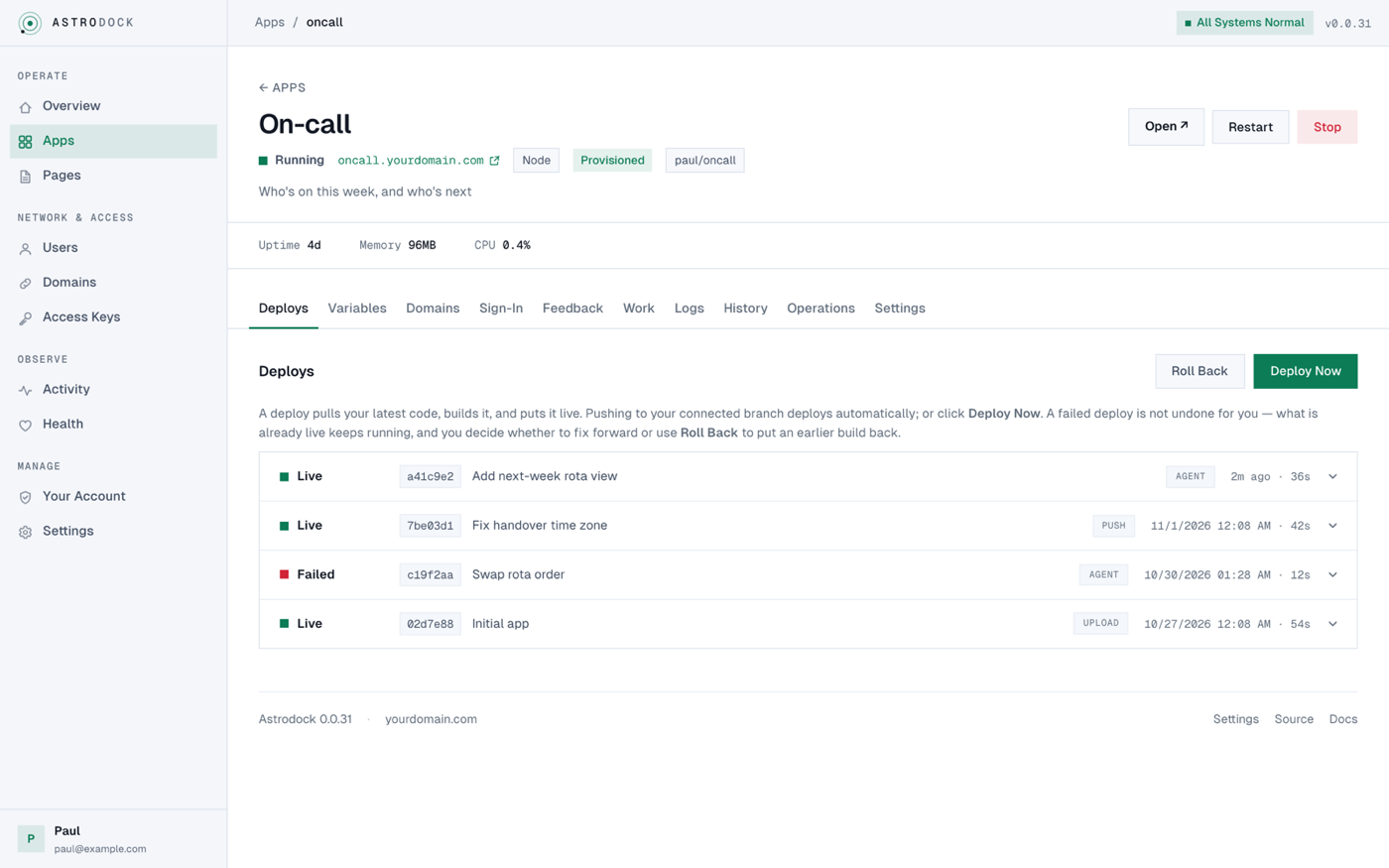
Every deploy runs the same steps: install, build, start and a health check. You can watch each one live, and every build is kept with its log.
However the Code Arrives
Push to a Branch
Connect a repository and every push to the branch you're watching rebuilds and goes live.
From Your Machine
astrodock deploy uploads the working directory, useful for code you haven't committed yet.
From an Agent
The same CLI with a scoped key, streaming until it can report success or failure.
Runtimes
Node apps need no setup. Anything else uses a Dockerfile.
Put a Frontend and a Server in a Folder
Astrodock detects how the app is laid out. The frontend is built and served as static files,
the server gets its own process, and requests under /api reach it on
the same origin, so you don't need CORS settings or a proxy.
Or Ship a Dockerfile
Python, Go, Rust or anything else that runs in a container. Astrodock builds the image, runs the container alongside everything else and gives it the whole subdomain. Your app binds the port it's given and answers a health check.
When It Goes Wrong
Failures that say what to fix.
A deploy that's missing a required secret stops before it starts and names the variable. A build that fails keeps its full log, so you can read what the installer said, even weeks later.
Every build is kept.
$ astrodock deploy:watch
  Deploy blocked — set these first:
    - SLACK_WEBHOOK (no value)

$ astrodock set-secret SLACK_WEBHOOK
$ astrodock deploy:watch
  installing · building · publishing
  ✓ deploy success
Detection
How it recognizes your app.
Astrodock decides from the files in the repository.
| What Is in the Repo | What You Get |
|---|---|
app/ and server/ | Static frontend, plus a server on /api/* |
server.js alone | Server only, no static files |
package.json alone | Static frontend only |
Dockerfile | Your container, whole subdomain |
Or start on Astrodock Cloud, or install it on a machine you control.